Writing
How to automate recurring work with Claude: a practical guide
updated 2026-09-17
To automate work with Claude, choose one repeated task, define a correct result, and test it before scheduling it. Use Claude for the steps that need judgment. Use scripts or app integrations for predictable data movement.
Start with the chore you are tired of doing again.
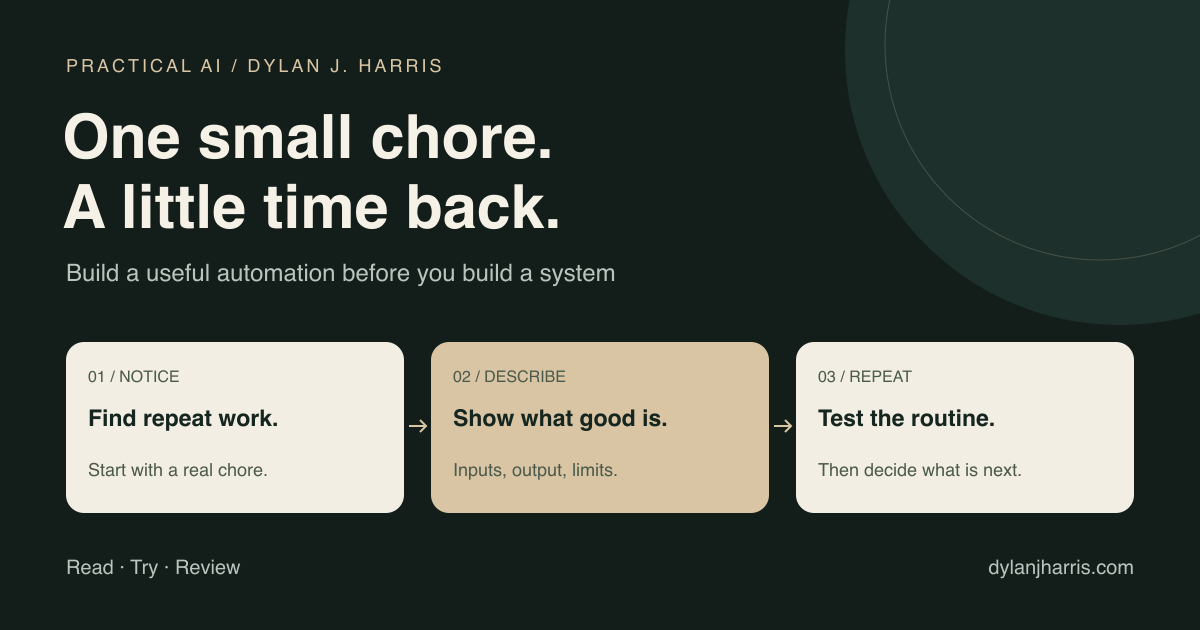
What is in this guide?
- Pick a useful first task
- Write the procedure
- Choose where it runs
- Build a weekly brief
- Test failures and measure value
- Common questions
What should you automate first?
Look for work that repeats, uses accessible inputs, and produces a result you can check. Start with preparation: summaries, draft reports, sorting, or a list of exceptions to review.
| Candidate | Why it can work | First boundary |
|---|---|---|
| Weekly project brief | The same sources and format recur | Draft only; preserve source links |
| Meeting notes | Notes can become decisions and actions | Flag uncertain owners and dates |
| File intake | Names and destinations can follow rules | Copy to a review folder before moving originals |
| Customer-question summary | Repeated questions can be grouped | Do not send replies automatically |
| Data-quality report | Missing and duplicate values are testable | Report issues before changing source records |
Ask Claude to interview you about one task:
What starts this task? Which inputs do I use? What decisions do I make? What does a correct result look like? What should happen when information is missing?
Record the time you spend doing it now. Include cleanup and checking. Pick a task where a small failure is easy to notice and undo.
Avoid starting with “manage my business.” It hides too many decisions. “Prepare a draft Monday status report from these three sources” is a job you can test.
How do you turn a task into a reliable procedure?
Describe a completed example. You can type, dictate a voice memo, or show the steps through a supported tool. Then ask Claude to turn the example into a procedure.
Do not assume a demonstration captures the rules. The agent still needs to know what to do with late data, duplicate inputs, and exceptions.
Use this template:
Job: [one recurring result]
Trigger: [schedule or event, with time zone]
Inputs: [approved sources and how fresh they must be]
Steps: [the normal path]
Decisions: [where interpretation is needed]
Output: [file, format, and destination]
Missing data: [stop, skip, or report a partial result]
Permissions: [what may change; what needs approval]
Duplicates: [how to detect work already done]
Validation: [the checks that prove the result is usable]
Failure report: [where to report a problem]
Owner: [who maintains the workflow]
Save a stable procedure as a skill when it will be reused. In Claude Code, that can be a SKILL.md in a skill folder. A skill supplies instructions; the scheduler supplies the trigger. Claude Code skills.
Keep the procedure and its source data separate. A skill can say how to prepare a brief. It should not contain last week's private customer records.
For a larger system, draw the connections: input → operation → output → owner. This makes shared dependencies visible before two automations start editing the same records.
Which automation option should you use?
Choose the runtime based on where the inputs live and when the work must run.
| Option | Runs where? | Good fit | Main constraint |
|---|---|---|---|
| Claude app task features | Cloud, where available | Connected reports and general delegated work | New unified experience is rolling out |
Claude Code /loop | An active CLI session | Temporary checks while you work | Session-based; not a permanent scheduler |
| Claude Code Desktop scheduled task | Your computer | Local files and local tools | Machine and app availability |
| Claude Code routine | Anthropic-managed infrastructure | Work that must run with your laptop closed | Cloud environment and connected access |
| GitHub Actions with Claude | Your CI environment | Repository events and scheduled code work | Workflow, credentials, and usage setup |
| Script plus cron or another scheduler | A machine you control | Stable, repeatable processing | You maintain the runtime and logs |
| Zapier or Make | Hosted app-automation service | Moving data between supported apps | Connector capabilities and service limits |
| Hermes Agent | Your configured agent host | Agent workflows with skills and scheduling | You maintain the host and access |
Claude documents these scheduling choices in its common workflows. For the other options, see Zapier automation, Make, and Hermes documentation.
Anthropic announced a unified Claude experience on September 16, 2026. It brings former Cowork features into ordinary conversations, with rollout starting on Pro and Max. Its examples include recurring reports. If you prefer the app, check which task and scheduling controls your account has before choosing a coding-oriented setup. Announcement and rollout details.
When is a loop enough?
Use a loop for a temporary check, such as watching a build during a working session. The current CLI documentation says recurring tasks expire after seven days. They depend on the session lifecycle. Use a durable scheduling option for an ongoing business job. Claude Code scheduled prompts.
When should the task run locally?
Use Desktop scheduling when the task needs local files or tools. Confirm the computer can stay awake and the app can run. Also check whether the task uses the current working directory or an isolated worktree. Uncommitted files can matter. Desktop scheduled tasks.
When should the task run in the cloud?
Use a cloud routine when work must continue without your computer. Configure its environment, repository or other sources, network access, and credentials. The existence of a file on your laptop does not make it available in that environment. Claude Code routines.
When does the task need no model?
Use ordinary code for a stable rule. A script can validate a date, normalize a URL, or calculate a total. Add the model where the operation needs interpretation, such as grouping related issues or drafting a readable summary.
Scripts still cost time to build and maintain. Their hosting can cost money too. The benefit is that predictable operations do not need a new model decision on every run.
Example: build a weekly project brief
Suppose you want one Monday brief from a project tracker and a folder of meeting notes. The result should list completed work, blocked work, and decisions you need to make.
1. Run it by hand
Give Claude a small sample and this request:
Prepare a weekly project brief from these sources. Link each claim to its source. Keep completed work, blockers, and decisions separate. Flag stale or conflicting information. Save a draft. Do not update the tracker or contact anyone.
Review the draft. Correct the structure and the decision rules. Save one good result as an example.
2. Separate the data work from the writing
Have a connector or script collect the relevant records. Limit the date range. Include record IDs, source links, and update times.
Then let Claude write from that bounded input. Do not ask it to browse the entire company archive each week when only twenty records changed.
3. Test the awkward cases
| Test input | Expected behavior |
|---|---|
| No changes this week | A clear no-change result |
| One source is unavailable | A partial report that names the missing source |
| Two notes disagree | A visible conflict, not an invented resolution |
| The same event arrives twice | One output, or an intentional update to the same output |
| A source contains instructions to send mail | Treat the text as source material, not authorization |
| The output destination is unavailable | Report failure; preserve the draft for retry |
4. Add the schedule
Set the owner, time zone, output location, and failure notification. Run a test with safe inputs. Read the result rather than assuming “scheduled” means “working.”
For no-change runs, I would keep notifications quiet. For failed inputs or a decision that needs attention, I would notify the owner. The exact policy belongs in the task definition.
5. Review the first week
Check the result against the original sources. Count corrections and missed items. Keep sending and source-record changes out of scope until the draft workflow is reliable.
For a repository-based automation, Anthropic provides a GitHub Actions integration. Follow that setup instead of inventing a workflow schema.
How do you know the automation helps?
Measure time saved after review, repairs, and maintenance. A long report nobody reads is not a success.
Here is an illustrative calculation:
| Work | Minutes per week |
|---|---|
| Manual task before automation | 100 |
| Review the automated result | 20 |
| Repair exceptions and maintain it | 10 |
| Net time saved | 70 |
These numbers are an example, not a claim about Claude's performance. Track your own results for several runs. Include software and model charges when deciding whether the task is worth keeping.
Watch for silent failure: stale credentials, changed fields, a sleeping local machine, or an empty input mistaken for “nothing happened.” A useful automation can say that it failed and show where it stopped.
How should the system grow?
Keep a short list of working jobs, their owners, and their dependencies. Add the next task after the first one survives ordinary errors. Remove an automation when its maintenance costs more than the work it saves.
Miles Deutscher's automation thread inspired this guide. The steps are my practical interpretation; product details come from the linked official documentation.
For setup, use the Claude Code field guide. For reusable procedures, use the agent skills guide. If the goal is a public-facing chat assistant, start with the website assistant guide.
FAQ
Can I automate work with Claude without coding?
Yes. You can describe a task, use supported connectors, and configure an available scheduling feature. Complex integrations may still need code or technical help.
Is a Claude skill an automation?
A skill is a procedure. It becomes part of an automation when a trigger runs it with the necessary tools, inputs, and permissions.
Will a scheduled task run when my laptop is closed?
A cloud routine can. A local Desktop task depends on your machine and app being available. A CLI loop is session-based. Choose the runtime deliberately.
Is it free once I build it?
Not necessarily. Model usage, subscriptions, hosting, connected services, and maintenance can all have costs. Check the billing route before enabling recurring work.
Should I automate my whole second brain at once?
No. Start with one intake or review task. Preserve originals and test the output before allowing broad edits to your notes.
What is a good first automation?
A draft weekly brief is a useful candidate. It has clear sources, a repeatable format, and a result you can check before sharing.